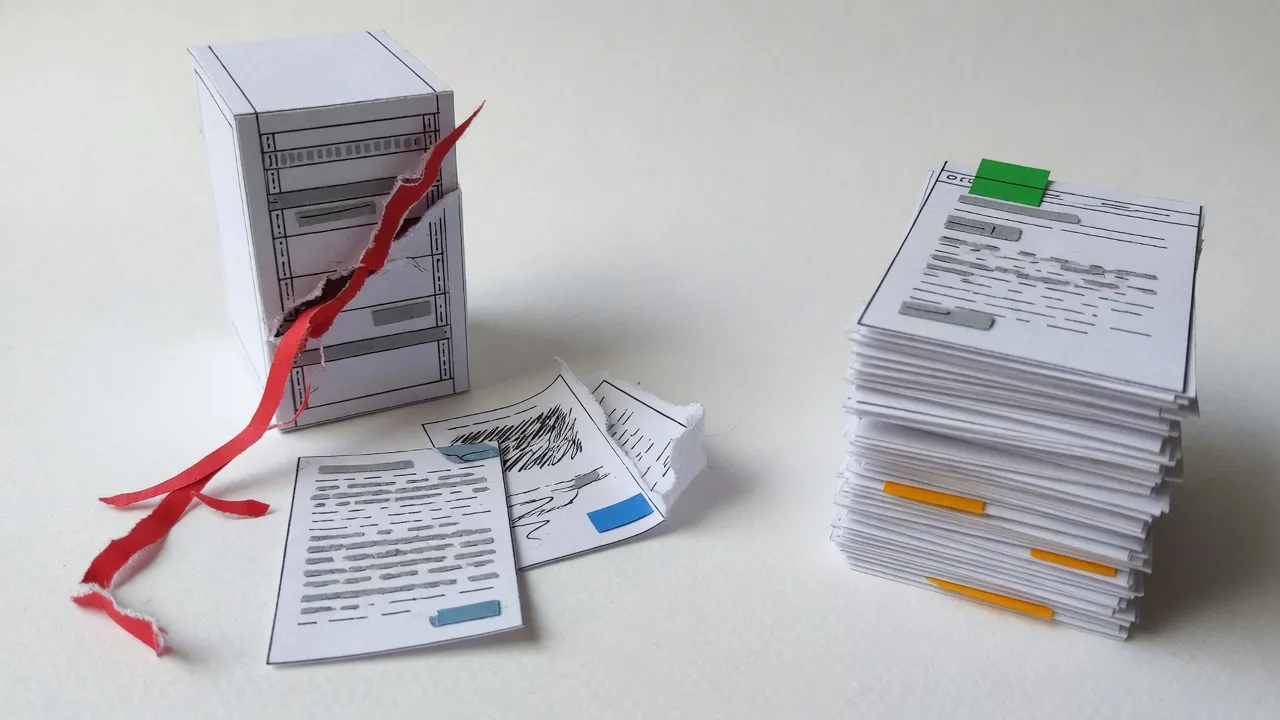
Is your WordPress site affected by PHP2Shell? Yes, it is in scope. WordPress runs on PHP, and PHP2Shell is a flaw in PHP itself, so a WordPress site is affected unless its server runs a fixed release (8.2.35, 8.3.36, 8.4.27, 8.5.12 or newer) or sits on PHP 7.4 to 8.1 with the source backports applied. Most owners cannot tell which from the dashboard, so the first move is to ask your host.
The bugs are CVE-2026-109618 and CVE-2026-109619, both rated 9.2 on CVSS v4.0, both allowing an attacker to run code on a server without logging in, according to Tenable's FAQ. PHP shipped the four fixed releases on October 21. The affected code goes back to PHP 5.4, which Wiz puts at more than a decade.
This post is for the owner of a plumbing company, a locksmith shop or a garage door business whose website has one job: make the phone ring. It answers the question above, says what to do this week, and then asks a harder one: what is your website keeping PHP for?
The short version
- A WordPress site is in scope for PHP2Shell unless its server runs a fixed PHP release or a backported one. Ask your host which version you are on and when it was updated.
- As of October 23, millions of exploit attempts had produced no publicly confirmed compromise. Attempts are not breaches.
- The defenders are right that this is a PHP bug, not a WordPress bug. A WordPress page is still generated by a PHP server, the thing that broke.
- For a local business whose site exists only to get leads, that server is optional. Optymizer's own site runs no PHP at all.
What should a WordPress owner do this week?
Ask your host, then update, then confirm the update took. Updating PHP is the only complete fix, per Tenable. The interim settings that circulated this week reduce risk; they do not remove it. And one detail that gets skipped: PHP has to be restarted after the update, because a patched file on disk does nothing while the old processes keep running.
Five things to do, in order
-
Ask your host two questions
Which PHP version does my site run, and when was it last updated? If you have a web person, ask them to ask. The answer is a version number, a date, and whether PHP was restarted after the update.
-
Get on a fixed release
8.2.35, 8.3.36, 8.4.27 or 8.5.12, or anything newer. Many managed WordPress hosts update PHP for their customers, which is why asking comes first.
-
Make sure PHP was restarted
A patched file on disk does not help while old PHP processes keep running. Ask your host to confirm the workers were restarted after the update.
-
If you are on 8.1 or older, plan a move off that branch
PHP 7.4 to 8.1 get source backports only, with no official release. Ask your host whether those backports were applied, and plan the upgrade to a supported branch.
-
If you cannot update right away, take the advice seriously
The NSA said a system that cannot be updated right away should be taken offline until it is fixed. The UK's NCSC said the same.
Many managed WordPress hosts update PHP for their customers, so a well-hosted site may already be done. We have no data on which hosts did what, so treat every "they probably patched it" as a question until your host answers it.
The version question matters more than it sounds. WordPress.org's own live stats show 28.5 percent of WordPress sites reporting PHP 7.4 to 8.1, the branches that got source backports and no official release, and about 34 percent on 8.1 or older. Widen the lens past WordPress and Qualys counts 167 million PHP installations, 71 percent of those with a known version on end-of-life or end-of-support branches.
Official responders took it seriously. France, Finland and the Netherlands pulled government websites offline, and Belgium's cyber centre put its own site into maintenance mode, as reported by Insurance Business and Malwarebytes. CISA told organizations to patch immediately, though as of October 23 the two CVEs were not in its known-exploited catalog, per SC Media.
How fast did the attacks rise?
Within hours. Cloudflare's CEO, Matthew Prince, described what his network saw in a post on X on October 21: thousands of exploit attempts in the ten hours before the announcement, tens of thousands in the 45 minutes after it, hundreds of thousands within two hours, and millions by that night.
- 10 hours before: Thousands
- 45 minutes after: Tens of thousands
- 2 hours after: Hundreds of thousands
- That night: Millions
Order of magnitude, as Prince described it. Attempts are not breaches: as of October 23, no compromise had been publicly confirmed. Source: Matthew Prince, Cloudflare CEO, in a post on X
Hold two facts at once. The probing was real and enormous. And as of October 23, by the account at BISI, none of it had produced a publicly confirmed compromise. The same analysts argue that the "70 percent of the web" headline treats every PHP site as exploitable, which the evidence does not support. An attempt against a patched server is noise. An attempt against an unpatched one is the reason to make the call to your host today.
The week itself was short and strange. Amazon Threat Intelligence logged an exploit attempt against its honeypots on October 17, four days before disclosure, per Tenable. The CVE identifiers leaked on October 20, and a release planned for October 22 moved up a day. Chainguard published patched container images more than six hours before the coordinated release, which the PHP Foundation called an embargo break; Chainguard's CEO, Dan Lorenc, answered on Hacker News that he "made the call to get these out early when exploits hit in the wild," as Socket reported.
- 4 days before
The honeypots light up
Amazon Threat Intelligence logs an exploit attempt.
- 1 day before
The CVE numbers leak
PHP moves the release up by a day.
- Day 0
Four fixed releases land
8.5.12, 8.4.27, 8.3.36 and 8.2.35. PHP 7.4 to 8.1 get source backports, no official release.
- Day 2
Attempts in the millions, no publicly confirmed compromise
The two numbers that have to be read together.
The defenders are right. That's the problem.
The WordPress defense this week has been steady, and it is correct. PHP2Shell lives in PHP, not in WordPress. In our own count of the X conversation, about 94,600 posts mentioned PHP2Shell over seven days, and the most common reply from WordPress people was some version of "it's PHP, not WordPress." Only about 460 posts compared static sites with WordPress at all. We agree with the defense. WordPress core had six vulnerabilities in all of 2025, by Patchstack's count. The interpreter underneath it had the hole.
Here is the turn. A WordPress page is generated by PHP unless a cache serves it, and even a well-cached WordPress site still depends on a PHP server that someone has to keep patched. So when the interpreter breaks, your website is standing on the thing that broke, whether or not WordPress wrote a line of the faulty code. Being right about the blame does not change what was reachable.
And the interpreter is one layer of several. Patchstack logged 11,334 new vulnerabilities across the WordPress ecosystem in 2025, up 42 percent from 7,966 the year before. Ninety-one percent were in plugins, 9 percent in themes. Forty-six percent had no patch available on the day they were disclosed. For the most exploited flaws, the median time from disclosure to mass exploitation was five hours.
9.2
CVSS v4.0 score for each PHP2Shell CVE
Tenable
11,334
new WordPress ecosystem vulnerabilities in 2025
Patchstack
5 hours
median disclosure to mass exploitation, for the most exploited flaws
Patchstack
28.5%
of WordPress sites on PHP 7.4 to 8.1, branches with no official fix
WordPress.org
None of those numbers says WordPress is careless. W3Techs has WordPress on 58.3 percent of sites with a known CMS and 39.6 percent of all sites, with PHP under 69.3 percent of sites whose server language is known. When you run that much of the web, you carry that much of its patching. The question for a small business is whether it needs to carry any of it.
What runs when someone opens your contact page?
Our way of thinking about this is one question: when a stranger sends a request to your website, can they at most read a file, or can they make something run? That framing is ours, not a quote from a standards body, and it is the core of our argument.
On a WordPress site, unless a cache answers first, the request reaches a web server, which hands it to PHP, which runs WordPress core and the active plugins, which query a database, which assemble the page. PHP2Shell lives in the second step. On a prebuilt static site the request reaches an edge server, which finds a file that was built earlier and sends it. Nothing of yours runs.
WordPress on a PHP server
- Browser asks for a page A stranger's request
- Web server hands it to PHP Unless a cache answers first PHP2Shell lives here: a flaw in the interpreter, reachable without logging in
- WordPress core and plugins run 91 percent of 2025 WordPress flaws were in plugins
- Database answers Content, users, settings
- Page is assembled and sent The PHP server stays running for the next request
Code runs to generate the page
Astro, prebuilt and static
- Browser asks for a page The same request
- Edge server finds the file Built earlier, cached close to the visitor
- File is sent No interpreter, no database, no plugin code on the server
A file is read and sent, nothing of yours runs
The same visitor, the same page. On the left, code runs to generate the page unless a cache serves it. On the right, a file is read. This is our own synthesis of the two models, not a vendor diagram, and the green lane is a description of what runs, not a promise about what cannot go wrong.
We should be exact about our own site, because "static" gets used loosely. Every page on optymizer.com is prebuilt HTML served from Vercel's edge. Nothing runs on our server when someone loads a page. That sentence is true. "No code runs anywhere" is not: a few small serverless functions back one free tool, our Gemini prompt builder, and our forms post from the browser straight to the form provider. There is no PHP anywhere in the stack.
Static has its own list of risks, and skipping it would undo the point of this post. The build pipeline can be poisoned. Third-party JavaScript on the page can be hijacked. DNS can be taken over, on any stack. Any serverless function is code that runs on request, with everything that implies. The difference is not that these risks vanish. It is that none of them is a runtime that handles a stranger's input to generate every uncached page. A technical SEO review of a static site is mostly a review of what sits around the files.
What are you paying to maintain?
Put the two stacks side by side the way an owner meets them, as a list of things that need someone's attention. A WordPress site a plumber owns is a hosting account with a PHP server, WordPress core, a theme, the plugins the site uses and a database, and every one of those has its own update cadence and its own disclosure feed. The static equivalent for a lead-generation site is a domain, an edge host, a folder of built files, a form provider and a build pipeline that runs when you edit.
The WordPress stack a local business owns
- Hosting account and PHP server Where PHP2Shell lives; 28.5 percent of WordPress sites sit on branches with no official fix Runs on request
- WordPress core Six core vulnerabilities in 2025 Needs updates
- Theme 9 percent of 2025 vulnerabilities Needs updates
- Plugins 91 percent of 2025 WordPress ecosystem vulnerabilities Runs on request
- Database Reached through the layers above Runs on request
Several layers to keep patched, and the PHP server runs whenever a page is generated
The Astro stack for a lead-generation site
- Domain and DNS A takeover risk on any stack
- Edge host Serves files; runs none of yours on a page load Nothing to run
- Prebuilt HTML, CSS and images Built before the first visitor arrives Nothing to run
- Form provider A separate service your leads pass through; vet it like any vendor
- Build pipeline Runs when you edit, not when a stranger visits Needs updates
- Serverless functions, if you add any Code that runs on request. Ours back one free tool. Runs on request
Fewer moving parts. No server-side code runs when a cached page loads.
We cannot tell you the static column is cheaper for your business. We have no maintenance-hours study and no invoice comparison. What we can say is which column has a runtime handling strangers' requests, and the question to ask of every extra layer: what is it doing for the phone ringing?
That justification is gone.
We left in January
I'm Offer, founder of Optymizer. I've been building websites for twenty years, and for most of that time WordPress was our stack too. Our first clients were locksmiths. We built them sites on WordPress because it was the right tool for the era: people were intimidated by code, and WordPress gave everyday users a UI to post blog posts, change their site, and manage content without touching a terminal.
That justification is gone.
In January 2026, we moved our own site and our stack from WordPress to Astro. We weren't reacting to PHP2Shell. We were reading the same patterns the research just confirmed at scale, nine months early.
WordPress was a good solution for the time when people were too intimidated by code. Nowadays, there's no justification for that. Everybody is vibe coding anyway. People are connecting AI agents into WordPress via app code and spending globs of tokens trying to fix a system that was initially designed for humans, with AI bolted on after the fact. Most of the time it ends up either too token-consuming or just not getting the results that are needed.
That's why Optymizer ditched it. We're living in a different age, and it's a whole lot smarter for any local business whose website's only purpose is to get leads.
The one legitimate reason businesses stayed on WordPress was commerce. Astro connects to Shopify and other commerce platforms through their APIs. There's no remaining technical reason for a lead-generation business to run WordPress.

Is static faster, or does it only look faster?
Often, with caveats we would rather state ourselves. The 2024 Web Almanac found that 40 percent of WordPress sites pass Core Web Vitals on mobile, against 51 percent of all origins, and that the median WordPress mobile page weighs 2,047 KB with 528 KB of JavaScript. Astro ships zero client JavaScript by default. That is a framework default, not a measured result for a finished business website, and the two figures are not the same kind of measure.
A well-cached WordPress site on good hosting narrows the gap a great deal. In our reading, the migration case studies you will find online tend to change hosting at the same time as the framework, so they cannot tell you how much credit the framework deserves. Astro's own marketing claims a 40 percent speed edge, but that was measured against React, not WordPress, so we do not use it here. And a slow Astro site is still a slow site. The framework removes categories of problems; it does not remove the need for someone who cares what a service page is for and how heavy it gets.
-
When a page loads
WordPress on PHP
PHP builds the page, unless a cache answers first.
Astro, prebuilt
Nothing runs on the server. A finished file is sent.
-
If a PHP flaw lands
WordPress on PHP
Your host has to update PHP and restart it.
Astro, prebuilt
There is no PHP to patch.
-
What you keep patched
WordPress on PHP
PHP, WordPress core, the theme and every plugin, each on its own schedule.
Astro, prebuilt
The build tools, updated when you choose.
-
Speed starting point
WordPress on PHP
40 percent of WordPress sites pass mobile Core Web Vitals.
Astro, prebuilt
No JavaScript is sent unless a page needs it.
-
Selling online
WordPress on PHP
Store plugins on the same PHP server.
Astro, prebuilt
A separate store, such as Shopify, linked from static pages.
-
AI agents doing the edits
WordPress on PHP
A dashboard built for people. Token heavy, in our experience.
Astro, prebuilt
Plain files, the format agents handle best, in our experience.
What about the shop, and the AI editor?
Briefly, because neither is the point of this post. If your business sells parts online, you need a cart, and the cart runs code somewhere. That is still true of the cart. It no longer has to be true of the pages that bring people to it. Most of the businesses we work with sell a visit, not a product, so for them the objection was never load-bearing.
The AI point is an opinion from our own work. An agent is good at editing a text file and bad at clicking through a settings screen designed so a person would not have to read code. Moving our site to files made our own agents cheaper to run and easier to check, which is the same reason we argued that permanent analytics belongs in the code rather than in a tag manager: a build can verify a file. For an owner, the practical version is that you can still ask for a change and still see what changed. The web design and SEO pages say how we work in plainer words.
Ask your host, then ask what you are paying for
Start with the five steps above. A version number, a date and a restart confirmed by your host settle this week's question, whatever stack you end up on. Then ask the longer one: what does your website need from WordPress? If the answer is a dashboard you use every week, say so, and weigh it against what it takes to keep a PHP server patched. If the answer is "the person who built it in 2019 used it," you are maintaining a PHP server for no reason your business can name.

If you want a second pair of eyes, we will look at your site and tell you plainly what runs when someone loads a page, what you are maintaining, and whether staying put is the sensible call. Sometimes it is. Every client starts with a call with Offer, and the about page says who that is. No deck, no urgency.
Talk to Offer before you decide anything.
You'll talk with Offer, not a sales rep. A short call, no pitch deck.
Talk to OfferThis post was drafted with AI tools from our own project records, anonymized, and checked by us before it published. Read our editorial standards.