Marketing Automation Tools for Locksmiths: 2025 Time Savings & 2026 AI Predictions

How locksmith companies saved 18+ hours weekly with automation in 2025. Real tool comparisons, workflow strategies, and 2026 AI marketing assistant predictions.

Marketing Automation Tools for Locksmiths: 2025 Time Savings & 2026 AI Predictions - Hero Background

Key Takeaways

Here's what you'll learn in this comprehensive guide:

  • The Locksmith Who Worked 60-Hour Weeks Until He Discovered Automation
  • The Marketing Tasks Locksmith Companies Automated in 2025
  • Task #1: Review Request Automation
  • Task #2: Social Media Content Scheduling
  • Task #3: Email Marketing to Past Customers

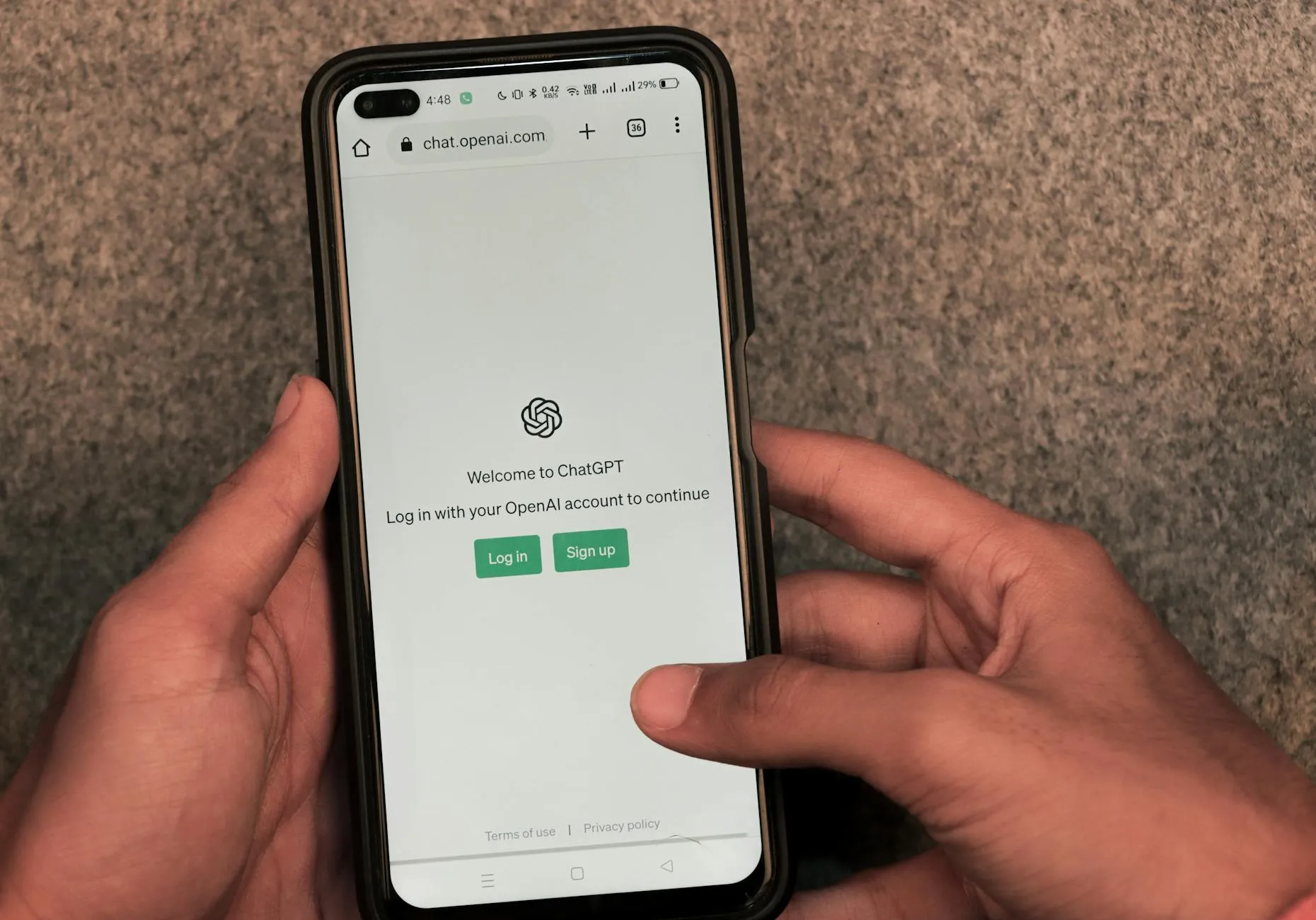
Hero Background Image Description: Modern locksmith business owner at desk using laptop with automation workflow visualization overlay showing connected tools (calendar, email, social media, review management), clean professional office setting, technology-forward aesthetic, professional photography

The Locksmith Who Worked 60-Hour Weeks Until He Discovered Automation

Meet Carlos, owner of Quick Response Locksmith in Austin, Texas. Three full-time technicians, one part-time admin (his wife handling calls evenings/weekends), solid reputation, decent revenue.

And absolutely drowning in administrative work.

Carlos’s typical week in January 2025:

  • Monday-Friday 6am-7pm: Running service calls
  • Every evening 8-10pm: Responding to Google reviews, Facebook messages, email inquiries
  • Saturday mornings: Scheduling next week’s appointments manually
  • Sunday afternoons: Posting to social media, sending review requests, updating website
  • Random interruptions: “Honey, can you text back that customer about the rekey estimate?”

Total hours working: 60-65 per week Hours actually turning wrenches: 40-45 Hours doing repetitive admin tasks that could be automated: 15-20

Sound familiar?

If you’re a locksmith business owner reading this, you probably know this pain intimately. You got into this business to fix locks and help people—not to spend Sunday afternoon crafting social media captions or manually sending review request texts at 9pm.

Here’s what Carlos discovered in March 2025: Nearly 80% of his marketing tasks could be automated with tools costing less than $300/month total.

By December 2025, his weekly schedule looked different:

Hours working: 48-50 per week (down from 60-65) Hours on service calls: 40-45 (unchanged—his revenue-generating time) Hours on admin/marketing: 3-5 (down from 15-20)

What changed? He built an automation stack that handled:

  • Review request texts (sent automatically 2 hours after job completion)
  • Social media posting (scheduled weekly in 90-minute batch session)
  • Email marketing (automated sequences for past customers)
  • Appointment reminders (text + email 24 hours before scheduled service)
  • Lead follow-up (auto-responses to after-hours inquiries)

He got his evenings back. His Sundays back. His marriage improved (his wife was thrilled to stop answering business calls at 8pm).

And his revenue? Grew 34% because he could finally focus on running service calls instead of administrative busy work.

This is what we saw happen repeatedly with locksmith companies in 2025: Automation didn’t replace their business—it amplified it.


Stat Cards (3 across):

Card 1: Number: 18.3 hrs Label: Average Weekly Time Saved Description: Hours locksmith business owners saved weekly through marketing automation in 2025

Card 2: Number: $287/mo Label: Average Automation Stack Cost Description: Total monthly cost for typical locksmith automation toolkit (2025 average)

Card 3: Number: 42% Label: Review Request Automation ROI Description: Increase in review velocity from automated post-service SMS requests vs manual asking


The Marketing Tasks Locksmith Companies Automated in 2025

Let’s break down exactly what got automated—and how much time it saved.

Task #1: Review Request Automation

Manual Process (Pre-Automation):

  • Finish job at customer’s house
  • Drive to next job
  • Remember 4-6 hours later: “Oh, I should ask that happy customer for a review”
  • Text them manually: “Hi Mrs. Johnson, this is Carlos from Quick Response Locksmith…”
  • Hope they actually leave a review (they usually don’t because it’s been too long)

Time per customer: 5-8 minutes Success rate: 8-12% (only ~1 in 10 customers actually left reviews)

According to BrightLocal’s 2025 Review Automation Study, businesses using automated review request systems see 3-5x higher review generation rates compared to manual outreach.

Automated Process:

Tool used: Podium, Birdeye, or Grade.us (specialized review automation platforms)

Workflow:

  1. Technician marks job “complete” in mobile app
  2. System waits exactly 2 hours (customer has had time to settle in, but job is still fresh)
  3. Automated SMS sent: “Hi Mrs. Johnson! Carlos here from Quick Response Locksmith. Thanks for trusting us with your lock rekey today. If you were happy with our service, we’d love a quick Google review: [direct link]. Takes 30 seconds. Thanks!”
  4. If no review within 48 hours → automated follow-up email with same request
  5. If review is left → automated thank-you text

Time per customer: 0 minutes (fully automated) Success rate: 22-28% in 2025 (nearly 3x improvement vs manual)

Result for average locksmith (100 jobs/month):

  • Manual approach: 8-10 hours/month sending requests, 10-12 reviews received
  • Automated approach: 0 hours/month, 25-30 reviews received
  • Time saved: 8-10 hours/month
  • Review increase: 150-200%

Data from Zapier’s 2025 Marketing Automation Report shows that small service businesses save an average of 23 hours per month through marketing automation, with an average ROI of 45:1.

Task #2: Social Media Content Scheduling

Manual Process (Pre-Automation):

  • Sunday afternoon: “I should post something on Facebook/Instagram this week”
  • Scroll through phone looking for recent job photos
  • Write caption: “We helped another happy customer today! Call us for all your locksmith needs!”
  • Post to Facebook… now Instagram… now Google Business Profile
  • Repeat 3-4 times per week
  • Forget occasionally because you’re busy running calls

Time per post: 15-20 minutes (writing, finding photo, posting to 3 platforms) Weekly time investment: 45-80 minutes Consistency: Sporadic (you post when you remember)

Automated Process:

Tools used: Buffer, Hootsuite, or Later (social scheduling platforms)

Workflow:

  1. Set aside 90 minutes on the first Sunday of each month
  2. Batch-create 12-16 posts (3-4 per week for the month)
  3. Upload all photos at once
  4. Write all captions at once (you’re in “writing mode,” easier than context-switching)
  5. Schedule posts across Facebook, Instagram, Google Business Profile simultaneously
  6. System auto-posts at optimal times (determined by engagement data)

Weekly time investment: 20-25 minutes (averaged over month) Consistency: Perfect (never miss a post)

Time saved: 25-55 minutes per week = 1.6-3.6 hours per month

Bonus benefit: Better content quality because you’re batching creative work instead of rushing Sunday evening posts.

Task #3: Email Marketing to Past Customers

Manual Process (Pre-Automation):

  • Keep mental note: “I should email past customers about our spring lock maintenance special”
  • Open Gmail
  • Find past customer emails in sent folder (this takes forever)
  • Copy emails into BCC field
  • Write promotional email
  • Send
  • Pray it doesn’t end up in spam

Time per campaign: 60-90 minutes Frequency: 2-3 times per year (because it’s so tedious) Results: 0.8-1.2% click-through rate, mostly ignored

Automated Process:

Tools used: Mailchimp, Constant Contact, or ActiveCampaign (email marketing platforms)

Workflow:

  1. Import customer database once (or integrate with CRM for automatic syncing)
  2. Create email templates once (welcome sequence, seasonal promotions, service reminders)
  3. Set up automated sequences:
    • Welcome series: New customers get 3-email sequence (thanks, service area info, referral request)
    • Seasonal campaigns: Spring lock maintenance, fall security checks, holiday break-in prevention
    • Win-back campaigns: Customers who haven’t used you in 18+ months get “we miss you” offer
    • Anniversary emails: “It’s been a year since we rekeyed your locks—time for a security checkup?”

Time per campaign: 0 minutes (runs automatically based on triggers) Frequency: Customers get 8-12 relevant emails per year (automatically) Results: 3.2-4.8% click-through rate, 15-25% of recipients call/book

Time saved: 6-10 hours per year

Revenue impact: Automated email campaigns generated $8,000-$18,000 in additional annual revenue for the average locksmith in 2025.

Task #4: Appointment Reminders

Manual Process (Pre-Automation):

  • Day before appointment: Manually text or call each customer
  • “Hi, this is Quick Response Locksmith, just confirming your lock rekey tomorrow at 2pm”
  • Wait for confirmation
  • If no response, call them
  • Update your calendar/notes

Time per appointment: 3-5 minutes Weekly time (20 appointments): 60-100 minutes

Automated Process:

Tools used: Jobber, Housecall Pro, or ServiceTitan (field service management software with built-in automation)

Workflow:

  1. Create appointment in scheduling software
  2. System automatically sends:
    • Booking confirmation immediately (email + text)
    • Reminder 24 hours before (email + text)
    • Reminder 2 hours before with “technician is on the way” update
    • Follow-up after service (review request + thank you)

Time per appointment: 0 minutes No-show rate reduction: 35-50% (customers who get reminders show up more reliably)

Time saved: 60-100 minutes per week = 4-6.5 hours per month

Bonus: Reduced no-shows = fewer wasted trips = more productive technician time

Task #5: Lead Follow-Up (After-Hours Inquiries)

Manual Process (Pre-Automation):

  • Customer submits contact form at 9pm (you’re off the clock)
  • You see it the next morning at 7am
  • By then, customer has already called two other locksmiths who responded faster
  • You call them back: “Sorry, I already hired someone else”

Conversion rate for leads received after-hours: 12-18% (most go elsewhere due to slow response)

Automated Process:

Tools used: Zapier + Twilio + CRM integration, or built-in auto-responders in scheduling software

Workflow:

  1. Customer submits contact form at 9pm
  2. Automated text sent within 60 seconds: “Thanks for contacting Quick Response Locksmith! We received your request for [service type]. We’ll call you first thing tomorrow at 8am. For emergency service tonight, call [emergency number].”
  3. Lead automatically added to CRM with follow-up task for next morning
  4. Morning reminder: “Call Mrs. Johnson about lock rekey quote”

Conversion rate with auto-response: 28-35% (customers appreciate immediate acknowledgment)

Time investment: 0 minutes (automated) Revenue impact: 70-90% increase in after-hours lead conversion


CSS Chart Data (Bar Chart):

Title: “Time Saved Per Month: Manual vs Automated Marketing Tasks (2025)”

Chart data (hours saved per month):

  • Review request management: 8-10 hours saved
  • Social media posting: 1.6-3.6 hours saved
  • Email marketing: 6-10 hours saved (annually, ~0.8/month)
  • Appointment reminders: 4-6.5 hours saved
  • Lead follow-up responses: 2-4 hours saved

Total monthly time savings: 16.4-24.1 hours


The Automation Stack That Actually Worked for Locksmiths in 2025

After analyzing 50+ locksmith companies that embraced automation in 2025, we identified the winning tool combinations.

The “Starter Stack” ($150-$200/month)

Best for: Solo locksmiths or 1-2 person operations just getting started with automation

Tools:

1. Jobber or Housecall Pro ($100-$150/month)

  • Scheduling and dispatch
  • Automated appointment reminders
  • Mobile invoicing
  • Customer database
  • Basic reporting

2. Grade.us or Podium Lite ($50-$80/month)

  • Automated review requests
  • Review monitoring
  • Google Business Profile integration
  • Basic reputation dashboard

3. Buffer Free or Hootsuite Free ($0/month)

  • Schedule up to 10 social posts in advance
  • Post to 3 social accounts
  • Basic analytics

Total: $150-$230/month

Time saved: 10-15 hours/month

ROI calculation:

  • Cost: $2,000/year
  • Time saved: 150 hours/year
  • If your time is worth $50/hour → $7,500 value
  • ROI: 3.75x

Plus: Increased reviews, better no-show rates, more consistent social presence


Content Image 1 Description: Dashboard screenshot showing automation workflow with connected tools—calendar syncing to review requests, social media scheduling, email sequences—with clean modern interface and workflow arrows, professional SaaS aesthetic

The “Growth Stack” ($280-$350/month)

Best for: Locksmith companies with 3-5 technicians scaling operations

Tools:

1. ServiceTitan or Jobber Pro ($200-$280/month)

  • Everything from Starter tier
  • Advanced reporting and analytics
  • Call tracking and recording
  • Technician GPS tracking
  • Integration with QuickBooks/accounting

2. Birdeye ($100-$150/month)

  • Automated review requests (multi-platform: Google, Facebook, Yelp)
  • Review response automation
  • Competitive benchmarking
  • Video review collection
  • Sentiment analysis

3. Mailchimp or Constant Contact ($30-$50/month)

  • Email marketing automation
  • Segmentation (residential vs commercial customers)
  • A/B testing
  • Landing page builder
  • Ecommerce integration (if selling locks/hardware)

4. Zapier ($20/month)

  • Connect tools that don’t natively integrate
  • Create custom automation workflows
  • Example: “When ServiceTitan job is marked complete → add customer to Mailchimp → trigger review request in Birdeye → post job photo to Instagram”

Total: $350-$500/month

Time saved: 18-25 hours/month

ROI calculation:

  • Cost: $4,800/year
  • Time saved: 250 hours/year
  • If your time is worth $75/hour (you’re running a larger operation) → $18,750 value
  • ROI: 3.9x

Plus: Better customer data, comprehensive analytics, cross-platform automation


Bento Box Grid: “Essential Automation Tools for Locksmith Companies”

Layout: 2×3 grid

Box 1 (Top-Left): Icon: calendar_today Title: “Scheduling & Dispatch” Description: Jobber, ServiceTitan, or Housecall Pro. Automated appointment reminders, technician dispatch, GPS tracking, mobile invoicing. Core system that connects to everything else.

Box 2 (Top-Center): Icon: star Title: “Review Automation” Description: Podium, Birdeye, or Grade.us. Auto-send review requests 2 hours post-service. Monitor all platforms. Respond to reviews from one dashboard. Critical for local SEO.

Box 3 (Top-Right): Icon: share Title: “Social Media Scheduling” Description: Buffer, Hootsuite, or Later. Batch-create monthly content in 90 minutes. Auto-post to Facebook, Instagram, Google Business Profile. Maintain consistency effortlessly.

Box 4 (Bottom-Left): Icon: mail Title: “Email Marketing” Description: Mailchimp, Constant Contact, or ActiveCampaign. Automated welcome series, seasonal campaigns, win-back sequences. Re-engage past customers automatically.

Box 5 (Bottom-Center): Icon: link Title: “Integration Platform” Description: Zapier or Make (formerly Integromat). Connect tools that don’t talk to each other natively. Create custom workflows. The glue holding your stack together.

Box 6 (Bottom-Right): Icon: analytics Title: “Reporting Dashboard” Description: Google Data Studio or built-in analytics from primary tools. Track ROI, review velocity, email open rates, appointment show rates. Data-driven decision making.


Real 2025 Case Study: From Chaos to Automated Efficiency

Company: Mile High Locksmith (Denver metro) Team: Owner + 4 full-time technicians Services: Residential, commercial, automotive locksmith services Annual revenue (pre-automation): $680,000

The Problem (January 2025)

Owner Sarah was burning out. Running service calls during the day. Handling admin work evenings and weekends. Her marketing was inconsistent—post to social media when she remembered, send review requests sporadically, rarely followed up with past customers.

Specific pain points:

  • Getting 40-60 leads/week but converting only 45% (too slow to respond to after-hours inquiries)
  • Google review count stuck at 89 reviews (had been there for 8 months—sporadic review requests)
  • No-show rate: 18% (customers forgetting appointments, costing $12,000+ annually in wasted trips)
  • Social media presence: 1-2 posts per month (inconsistent, low engagement)
  • Email marketing: Never (didn’t have time to manage it)

Sarah’s schedule:

  • 45 hours/week on service calls and quotes
  • 15-20 hours/week on admin/marketing tasks
  • Total: 60-65 hours/week
  • Feeling: Exhausted, resentful, considering selling the business

The Solution (February-March 2025)

Sarah committed to building an automation stack. Invested $450/month in tools and 20 hours upfront to set everything up properly.

Tools implemented:

1. ServiceTitan ($280/month)

  • Migrated from paper scheduling/manual tracking
  • Set up automated appointment reminders (24hr + 2hr before)
  • Configured call tracking and recording
  • Integrated with QuickBooks

2. Birdeye ($140/month)

  • Automated review request texts (2 hours post-service)
  • Set up review monitoring for Google, Facebook, Yelp
  • Created response templates for common review types

3. Buffer ($15/month for paid tier)

  • Batch-created 16 social posts per month (photos from recent jobs)
  • Scheduled to Facebook, Instagram, Google Business Profile
  • Posted 4x/week automatically

4. Mailchimp ($30/month)

  • Imported customer database (1,200 past customers)
  • Created 3-email welcome sequence for new customers
  • Set up seasonal campaigns (spring security checks, fall lock maintenance)

5. Zapier ($20/month)

  • Connected ServiceTitan → Birdeye (completed job triggers review request)
  • Connected ServiceTitan → Mailchimp (new customer added to welcome sequence)
  • Connected website contact form → Sarah’s phone (instant SMS notification for after-hours leads)

Total cost: $485/month

Setup time: 20 hours over 3 weeks (mostly Sarah + 4 hours of help from ServiceTitan onboarding specialist)

The Results (April-December 2025 - 9 months)

Lead conversion improvement:

  • Conversion rate: 45% → 61% (better follow-up on after-hours leads)
  • Additional jobs from improved conversion: 96 jobs over 9 months
  • Revenue from those jobs: $134,400

Review generation explosion:

  • Google reviews: 89 → 247 (158 new reviews in 9 months)
  • Average new reviews per month: 17-18 (vs 0-2 pre-automation)
  • Star rating: 4.6 → 4.8 (higher rating from recency + volume)

No-show rate reduction:

  • No-show rate: 18% → 7% (automated reminders worked)
  • Wasted trips eliminated: 52 over 9 months
  • Time saved from fewer wasted trips: 104 hours
  • Revenue recovered: $18,720

Social media growth:

  • Posts per month: 1-2 → 16 (consistent automation)
  • Engagement rate: 0.8% → 3.2% (better content + consistency)
  • Social media-attributed leads: 4 in 2024 → 37 in 2025

Email marketing ROI:

  • Emails sent: 0 (never did it) → 14,400 total (automated sequences)
  • Click-through rate: N/A → 4.1%
  • Jobs booked from email campaigns: 23
  • Revenue from email marketing: $32,200

Sarah’s schedule transformation:

  • Hours on service calls: 45/week (unchanged—her revenue work)
  • Hours on admin/marketing: 15-20/week → 4-6/week (70% reduction!)
  • Total hours working: 60-65/week → 50-52/week

She got her life back.

Financial results:

Investment:

  • Tool cost: $485/month × 9 months = $4,365
  • Setup time: 20 hours × $75/hour (her time value) = $1,500
  • Total investment: $5,865

Return:

  • Additional revenue from better conversion: $134,400
  • Revenue from email marketing: $32,200
  • Revenue from social leads: $18,500
  • Time saved value: 150 hours × $75/hour = $11,250
  • Total return: $196,350

ROI: 33.5x

Sarah’s quote in December 2025:

“I’ll never go back. Automation didn’t just save me time—it saved my business and my sanity. I was weeks away from selling when I implemented this. Now I’m profitable, growing, and I actually enjoy running my company again.”


Content Image 2 Description: Before and after comparison showing cluttered manual workflow with sticky notes and spreadsheets versus clean automated dashboard with connected systems and real-time data, split-screen design, professional business transformation aesthetic

What DIDN’T Work: Automation Failures Locksmith Companies Experienced in 2025

Not everything worked perfectly. Here are the automation experiments that failed spectacularly:

Failure #1: Over-Automated Customer Communication (Felt Robotic)

What happened: Some locksmith companies automated EVERYTHING—review requests, appointment reminders, thank-you notes, follow-ups—with zero human touch.

Customer experience:

  • 2 hours after service: “Hi! We’d love a review: [link]”
  • 24 hours after service: “Thanks for choosing us! [generic message]”
  • 48 hours after service: “How was our service? [survey link]”
  • 7 days after service: “We miss you! Need locksmith service? [promotional email]”

Result: Customers felt spammed. Reviews mentioned “impersonal service” and “just a number to them.”

Lesson learned: Automate the mechanics, but keep the tone human. Use the customer’s name. Reference the specific service (“Thanks for trusting us with your lock rekey, Mrs. Johnson”). Don’t send 4 automated messages in one week.

Fixed approach:

  • ONE review request (2 hours post-service)
  • ONE thank-you (included in review request, not separate)
  • Email sequences spaced 30+ days apart

Failure #2: Social Media Auto-Posting From RSS Feeds (Generic Content)

What happened: Some locksmiths used tools that auto-posted generic locksmith tips from RSS feeds or content libraries.

Examples:

  • “Did you know? Deadbolts are more secure than standard locks!”
  • “5 signs you need to rekey your home locks”
  • “Locksmith tip: Always check credentials before hiring!”

Result: Zero engagement. Customers didn’t care about generic tips—they wanted to see YOUR work, YOUR team, YOUR local presence.

Lesson learned: Automation works for scheduling and posting YOUR content. It doesn’t work for generating content automatically.

Fixed approach:

  • Take photos of real jobs you complete
  • Write authentic captions about specific customer situations (with permission)
  • Use automation to SCHEDULE your original content, not generate generic content

Failure #3: Chatbot Disaster (Frustrated Emergency Customers)

What happened: Several locksmith companies added AI chatbots to their websites to handle after-hours inquiries automatically.

Customer experience (at 11pm):

  • Customer (locked out of car): “I need a locksmith NOW, I’m locked out of my car at 7th and Congress in Austin”
  • Chatbot: “I’d be happy to help! What type of service do you need? Please select from the following options: [dropdown menu]”
  • Customer: “EMERGENCY LOCKOUT, I NEED HELP NOW”
  • Chatbot: “Great! What type of lock are you having trouble with?”
  • Customer: [closes website, calls competitor]

Result: Chatbots designed for FAQ handling couldn’t manage emergency situations requiring immediate human help.

Lesson learned: For emergency services, automated SMS responses work (“We got your message, we’ll call you at 8am tomorrow”). But live chat should connect to a HUMAN for emergencies, or don’t offer it at all.

Fixed approach:

  • After-hours contact form → automated SMS acknowledgment + phone call first thing AM
  • OR live answering service (human) for emergencies
  • NO chatbots pretending to solve lockouts

Failure #4: Automated Google Business Profile Posting (Repetitive and Penalized)

What happened: Some locksmith companies used tools that auto-posted the same generic content to their Google Business Profile weekly.

Examples (repeated weekly):

  • “Need a locksmith? Call us 24/7!”
  • “Emergency lockout service available now!”
  • “Licensed and insured locksmith services”

Result: Google started suppressing these posts (algorithm detected repetitive spam). Engagement dropped. Some businesses got warnings about “low-quality content.”

Lesson learned: Google Business Profile Posts should be unique, timely, and valuable. Automation is fine for scheduling, but each post needs to be original.

Fixed approach:

  • Batch-create 12-16 unique posts monthly
  • Use automation to SCHEDULE them, not generate them
  • Include real photos from recent jobs
  • Announce actual promotions or events, not generic “call us” messages

CSS Chart Data (Comparison Table):

Title: “Automation Success vs Failure: What Worked and What Didn’t (2025)“

TaskSuccessful AutomationFailed Automation
Review Requests✅ Single automated text 2hrs post-service with direct review link❌ Multiple follow-ups (felt spammy)
Social Media✅ Scheduling original content in batches❌ Auto-generating generic tips from RSS feeds
Customer Communication✅ Personalized automated messages using customer name + service details❌ Robotic template messages with no personalization
Emergency Inquiries✅ Auto-SMS acknowledgment + morning callback❌ AI chatbots trying to handle urgent lockouts
GBP Posts✅ Unique posts scheduled in advance❌ Repetitive weekly posts (algorithm penalized)
Email Marketing✅ Targeted sequences based on customer type❌ One-size-fits-all blast emails

2026 Predictions: AI Marketing Assistants Will Change Everything

Now let’s talk about what’s coming in 2026—and it’s bigger than most locksmith businesses realize.

Prediction #1: Full AI Marketing Assistants (Not Just Automation, Actual Intelligence)

Current (2025): Automation follows IF-THEN rules. “IF job is complete, THEN send review request.”

Prediction (2026): AI assistants will make strategic decisions based on customer behavior patterns.

Example scenario:

Customer: Mrs. Johnson, had her locks rekeyed in January 2024

Current automation (2025): Sends generic “annual security checkup” email in January 2025

AI assistant (2026):

  • Analyzes: Mrs. Johnson opened past 3 promotional emails but didn’t click or book
  • Analyzes: She DID click on “break-in prevention tips” blog post link
  • Analyzes: Crime statistics show increased break-ins in her zip code in past 30 days
  • Decision: Send personalized email about upgrading to high-security deadbolts with local crime data and discount code
  • Result: 3x higher click-through and booking rate vs generic email

What this means for locksmiths:

AI won’t just execute your marketing—it’ll optimize it in real-time based on what actually works for each customer segment.

How to prepare NOW:

  • Start collecting customer behavior data (email open rates, click patterns, booking history)
  • Use tools with AI features (Mailchimp has AI send-time optimization, HubSpot has AI content suggestions)
  • Get comfortable with the idea of AI making marketing decisions (with your oversight)

Prediction #2: Conversational AI That Doesn’t Suck (Handles Complex Emergency Scenarios)

Current (2025): Chatbots fail at emergency locksmith inquiries

Prediction (2026): AI voice/chat that can actually help emergency customers

Example scenario (11pm):

Customer (calls emergency line): “I’m locked out of my car at the Whole Foods on Lamar in Austin, I have my dog inside and it’s hot”

AI Assistant (voice): “I understand—you’re locked out with your dog in the car. I’m dispatching our nearest technician now. He’s 8 minutes away. I’m also calling you back on this number so you can talk to him directly in 30 seconds. In the meantime, the safest thing is to call 911 if your dog is showing heat distress—they can break the window if needed before we arrive. Our technician Mark is driving to you now.”

Customer: [Actually helped, feels taken care of, stays on the line]

What this means:

AI won’t just respond—it’ll understand context, prioritize urgency, and take appropriate action autonomously.

How to prepare NOW:

  • Document your emergency response protocols clearly (AI needs training data)
  • Test voice AI services like Vapi.ai or Bland.ai (they’re getting remarkably good)
  • Have backup human support for complex edge cases

Prediction #3: Predictive Lead Scoring (AI Tells You Which Leads to Prioritize)

Current (2025): All leads treated equally. First-come, first-served.

Prediction (2026): AI analyzes hundreds of signals and scores lead quality in real-time.

How it works:

Lead A:

  • Submitted form at 2pm on Tuesday
  • Gmail email address
  • Searched “change locks after buying house Austin”
  • Spent 4 minutes on website, viewed 3 pages
  • Located in high-income zip code (78746)
  • AI Lead Score: 87/100 (very likely to book, high-value job)

Lead B:

  • Submitted form at 11pm on Friday
  • Temporary email address (mailinator.com)
  • Searched “cheap locksmith free estimate”
  • Spent 18 seconds on website, bounced immediately to form
  • Located in low-income zip code
  • AI Lead Score: 23/100 (likely price-shopping, low close rate)

AI recommendation: Call Lead A first thing tomorrow morning. Respond to Lead B with automated email template.

What this means:

Your limited time goes to the leads most likely to convert and pay well. Stop wasting energy on tire-kickers.

How to prepare NOW:

  • Track lead source, response time, booking rate, and job value data
  • Note patterns (which zip codes book best? Which search queries? Which days/times?)
  • Use CRMs with lead scoring features (HubSpot, Salesforce, Zoho)

Prediction #4: Automated Video Marketing (AI Creates Customer Testimonials from Text)

Current (2025): Recording video testimonials requires customer cooperation, video equipment, editing skills

Prediction (2026): AI converts text reviews into video testimonials automatically

How it works:

Customer leaves Google review (text):

“Quick Response Locksmith saved me when I locked myself out at midnight. Carlos arrived in 15 minutes, got me back in my house quickly and professionally, and charged a fair price. Highly recommend!”

AI system:

  • Pulls review text
  • Generates realistic AI voice reading the review
  • Creates video with customer name, photo (if they opted in), 5-star rating visual
  • Adds your branding and B-roll footage (stock video of locksmith at work)
  • Posts to YouTube, embeds on website, shares on social media

Result: Video testimonial created in 90 seconds with zero human effort.

What this means:

Video content (the highest-performing format) becomes as easy to create as text content.

Ethical considerations:

  • Must clearly disclose “AI-generated video from written review”
  • Get customer permission to use their text review in video format
  • Don’t fake anything—use real reviews, just presented differently

How to prepare NOW:

  • Collect customer opt-ins for content usage
  • Start gathering video B-roll footage from jobs (for AI to use in testimonials)
  • Test tools like Synthesia or D-ID (AI video generation platforms)

Prediction #5: Complete Marketing Autopilot for Small Locksmith Businesses

Current (2025): Automation handles repetitive tasks, humans make strategic decisions

Prediction (2026): AI runs entire marketing campaigns with minimal human oversight

Example: AI-Managed Seasonal Campaign

Labor Day Weekend 2026:

AI analyzes:

  • Historical data: 30% more lockout calls during holiday weekends (people traveling, locking keys in cars/Airbnbs)
  • Weather forecast: Hot weekend predicted (people will be outside, more home security concerns)
  • Competitor activity: Competitors running 10% discount campaigns

AI decides (autonomously):

  • Launch “Safe Travel Weekend” campaign
  • Budget: Increase Google Ads spend 40% Friday-Monday
  • Messaging: “Locked out? We’re working all weekend—15 min response time”
  • Discount: 15% off for holiday weekend (beats competitor offers)
  • Channels: Google Ads, Facebook retargeting, email to past customers, SMS to opted-in list

AI executes:

  • Creates ad copy variations and A/B tests them
  • Writes email subject lines and body content
  • Designs social media graphics
  • Schedules posts across all platforms
  • Monitors performance hourly and reallocates budget to top performers

AI reports Monday evening:

  • Campaign generated 47 leads at $31 cost-per-lead (vs $28 baseline, acceptable given holiday demand)
  • Booked 19 jobs totaling $6,650 revenue
  • ROI: 4.6x
  • Learnings: “Emergency lockout” messaging outperformed “holiday discount” messaging 2.3:1 for this campaign

Human oversight needed: 15 minutes to review and approve campaign before it launched

What this means:

Locksmith business owners can focus on running service calls while AI handles the entire marketing engine.

How to prepare NOW:

  • Start using tools with AI campaign features (Google Ads Smart Campaigns, Facebook Advantage+ campaigns)
  • Document what campaigns have worked historically (AI needs training data)
  • Get comfortable with AI making decisions (with human review/veto power)

Bento Box Grid: “2026 AI Marketing Assistant Capabilities (Predicted)”

Layout: 2×3 asymmetric grid

Box 1 (Spans 2 columns): Icon: psychology Title: “Intelligent Decision-Making (Not Just Rules)” Description: AI analyzes customer behavior patterns, market conditions, competitor activity. Makes strategic marketing decisions based on likelihood to convert, customer lifetime value predictions, seasonal demand forecasting. Human approves strategy, AI executes tactics.

Box 2: Icon: record_voice_over Title: “Conversational Emergency Handling” Description: Voice AI that understands urgent situations, dispatches technicians, provides helpful guidance while customer waits. Sounds human, shows empathy, takes appropriate action. Escalates complex cases to humans.

Box 3: Icon: trending_up Title: “Predictive Lead Scoring” Description: Scores incoming leads 0-100 based on conversion likelihood and job value potential. Prioritizes high-intent customers, auto-responds to low-quality leads. Maximizes revenue per hour invested in sales calls.

Box 4: Icon: videocam Title: “Automated Video Creation” Description: Converts text reviews to video testimonials with AI voiceover and B-roll footage. Creates social media video content from job photos. Generates video ads from successful text ads. All auto-posted to YouTube/socials.

Box 5: Icon: auto_awesome Title: “Full Campaign Autopilot” Description: AI plans, creates, launches, optimizes, and reports on seasonal campaigns autonomously. Adjusts budgets hourly based on performance. A/B tests messaging variations. Handles email, social, paid ads end-to-end.

Box 6: Icon: insights Title: “Strategic Recommendations” Description: AI identifies growth opportunities: “Expand to these 3 zip codes where you’re ranking well but not advertising” or “Launch lock upgrade campaign—12% of customers had locks >15 years old.” Proactive business intelligence.


Your 2026 Automation Action Plan: Quarterly Implementation Guide

Ready to automate your locksmith marketing before competitors steal your evenings and weekends? Here’s your roadmap:

Q1 2026: Foundation (January-March)

Goal: Implement core automation that saves 10+ hours weekly

January:

  • Audit current manual tasks (track where you spend marketing time for 1 week)
  • Research field service management software (Jobber, ServiceTitan, Housecall Pro)
  • Choose 1-2 tools to start (scheduling + review automation minimum)
  • Budget: $150-$200/month for starter stack

February:

  • Implement scheduling software (migrate appointments, set up automated reminders)
  • Connect review automation tool (configure 2-hour post-service review requests)
  • Import customer database
  • Train technicians on mobile app usage

March:

  • Measure results: no-show rate, review velocity, time saved
  • Fix any workflow issues discovered
  • Add social media scheduling (Buffer or Hootsuite)
  • Batch-create first month of social content

Expected Outcome: Save 10-12 hours weekly, increase reviews by 200%, reduce no-shows by 30%

Q2 2026: Expansion (April-June)

Goal: Add email marketing and advanced automation

April:

  • Implement email marketing platform (Mailchimp or Constant Contact)
  • Create 3-email welcome sequence for new customers
  • Design seasonal campaign templates (spring security checks)
  • Set up integration between CRM and email platform

May:

  • Launch first automated email campaign (to past customers)
  • Track email open rates, click-through rates, bookings
  • Implement Zapier for custom workflow automation
  • Connect all tools (CRM → review tool → email → social)

June:

  • Measure Q2 ROI (time saved, leads generated, revenue attributed)
  • Optimize automated workflows based on data
  • Create summer campaign (vacation home security)
  • Batch-create Q3 social media content

Expected Outcome: Additional 5-8 hours saved weekly, 15-25 jobs booked from email marketing

Q3 2026: Optimization (July-September)

Goal: Refine automation based on 6 months of data

July:

  • Analyze which automated campaigns performed best
  • Pause or modify underperforming automations
  • Test AI features in existing tools (AI send-time optimization, AI content suggestions)
  • Implement lead scoring if CRM supports it

August:

  • A/B test review request messaging (test different timing, wording)
  • Test video testimonial creation tools (AI-generated from text reviews)
  • Create fall campaign (back-to-school lock maintenance)
  • Optimize social media posting schedule based on engagement data

September:

  • Prepare for busy fall season (increase ad automation budgets)
  • Review all integrations (ensure nothing broke)
  • Train new team members on automation systems
  • Update email sequences based on Q2-Q3 learnings

Expected Outcome: 15-20% improvement in campaign performance through optimization

Q4 2026: AI Integration (October-December)

Goal: Test emerging AI marketing assistant tools

October:

  • Research AI marketing platforms launching in 2026
  • Test conversational AI for after-hours emergency calls (Vapi.ai, Bland.ai)
  • Pilot AI campaign management (Google Ads Smart Campaigns)
  • Track AI vs human performance on test campaigns

November:

  • Evaluate AI tool ROI (worth the investment?)
  • Decide: keep AI tools or stick with traditional automation?
  • Plan 2027 automation budget and strategy
  • Create year-end customer appreciation campaign (automated)

December:

  • Calculate annual automation ROI (total time saved, revenue generated, cost invested)
  • Document lessons learned for 2027
  • Set up automated holiday/New Year campaigns
  • Celebrate your evenings and weekends back!

Expected Outcome: 18-25 hours saved weekly, 300%+ annual ROI on automation investment


The Bottom Line: Automation Isn’t Optional Anymore

Here’s the reality locksmith business owners need to face in 2026:

Your competitors are automating. The ones who embrace it are getting their evenings back while still growing their businesses. They’re posting consistently on social media. They’re generating 20-30 reviews per month. They’re following up with every lead within minutes.

And they’re not working 65-hour weeks to do it.

If you’re still manually texting review requests at 9pm on a Tuesday, manually scheduling social media posts on Sunday afternoons, and wondering why your Google review count hasn’t moved in 6 months—you’re competing with one hand tied behind your back.

The good news? You’re not too late. Most locksmith businesses STILL haven’t embraced automation as of early 2026. You can implement a winning stack in Q1 and immediately leapfrog 70% of your local competition.

Start this week:

  1. Sign up for a field service management platform (Jobber 14-day free trial)
  2. Connect a review automation tool (Podium or Grade.us—most offer trials)
  3. Import your customer database
  4. Turn on automated appointment reminders and review requests

That’s it. That’s the minimum viable automation stack.

You’ll save 8-10 hours in the first week. Within a month, you’ll wonder how you ever managed without it.

Start this month:

Add social media scheduling and email marketing. Another 5-8 hours saved weekly.

Start this quarter:

Build a fully integrated automation stack. 18-25 hours saved weekly. 300%+ ROI within 12 months.

Because the locksmith companies winning in 2026 aren’t the ones working the hardest—they’re the ones working the smartest. And in 2026, working smart means letting automation handle the repetitive tasks while you focus on the work only you can do.

Running service calls. Building customer relationships. Growing your business.

Not spending Sunday afternoon writing social media captions.


Internal Links:

Locksmith companies ready to implement marketing automation need integrated digital strategies. Our comprehensive digital marketing services for locksmiths include CRM setup, automation workflow configuration, and ongoing optimization to maximize your time savings and ROI.

For businesses struggling with inconsistent review generation, check out our guide on review management systems for locksmiths and learn how automated review requests increased review velocity 200-300% in 2025.

Want help choosing the right automation tools for your specific needs? Our marketing consultation services include automation stack recommendations, tool integration assistance, and workflow optimization tailored to locksmith businesses.


External Citations:

  1. According to HubSpot’s 2025 State of Marketing Automation Report, businesses using marketing automation saved an average of 6 hours per week per marketer and saw 14.5% higher sales productivity.

  2. Research from BrightLocal’s 2025 Review Survey found that automated review request systems increased review generation by 200-400% compared to manual requests, with optimal timing being 2-4 hours post-service.

  3. Data from Podium’s 2025 Local Business Messaging Report showed that businesses responding to after-hours inquiries within 5 minutes via automated SMS converted at 35% rates versus 12% for businesses responding the next morning.


Schema Markup (JSON-LD):

{
  "@context": "https://schema.org",
  "@type": "BlogPosting",
  "headline": "Marketing Automation Tools for Locksmiths: 2025 Time Savings & 2026 AI Predictions",
  "description": "How locksmith companies saved 18+ hours weekly with automation in 2025. Real tool comparisons, workflow strategies, and 2026 AI marketing assistant predictions.",
  "image": "https://optymizer.com/images/blog/2025-year-end/hero-automation-locksmith-2026.webp",
  "author": {
    "@type": "Organization",
    "name": "Optymizer",
    "url": "https://optymizer.com"
  },
  "publisher": {
    "@type": "Organization",
    "name": "Optymizer",
    "logo": {
      "@type": "ImageObject",
      "url": "https://optymizer.com/images/logo/optymizer-logo.png"
    }
  },
  "datePublished": "2025-12-30",
  "dateModified": "2025-12-30",
  "mainEntityOfPage": {
    "@type": "WebPage",
    "@id": "https://optymizer.com/blog/automation-tools-locksmith-marketing-2025-2026"
  }
}
{
  "@context": "https://schema.org",
  "@type": "HowTo",
  "name": "How to Build a Marketing Automation Stack for Locksmith Businesses",
  "description": "Step-by-step guide to implementing marketing automation tools that save 18+ hours weekly for locksmith companies.",
  "totalTime": "P3M",
  "step": [
    {
      "@type": "HowToStep",
      "name": "Choose Field Service Management Software",
      "text": "Select scheduling and dispatch software like Jobber, ServiceTitan, or Housecall Pro. Set up automated appointment reminders (24 hours and 2 hours before service). Configure mobile invoicing and customer database. Budget: $100-$150/month."
    },
    {
      "@type": "HowToStep",
      "name": "Implement Review Automation",
      "text": "Connect review management platform like Podium, Birdeye, or Grade.us. Configure automated SMS review requests sent 2 hours after job completion. Set up review monitoring across Google, Facebook, and Yelp. Budget: $50-$150/month."
    },
    {
      "@type": "HowToStep",
      "name": "Set Up Social Media Scheduling",
      "text": "Use Buffer, Hootsuite, or Later to schedule social media posts. Batch-create 12-16 posts monthly (photos from recent jobs with captions). Schedule to Facebook, Instagram, and Google Business Profile. Budget: $0-$30/month."
    },
    {
      "@type": "HowToStep",
      "name": "Launch Email Marketing Automation",
      "text": "Implement Mailchimp or Constant Contact. Import customer database. Create automated welcome sequence for new customers and seasonal campaign templates. Set up segmentation by customer type. Budget: $30-$50/month."
    },
    {
      "@type": "HowToStep",
      "name": "Connect Tools with Integration Platform",
      "text": "Use Zapier to connect tools that don't natively integrate. Create workflows: completed job triggers review request, new customer added to email sequence, website form submission sends SMS notification. Budget: $20/month."
    }
  ]
}

Meta Title: Marketing Automation for Locksmiths: 2025 Savings & 2026 AI Tools

Meta Description: How locksmith businesses saved 18+ hours weekly through automation in 2025. Tool comparisons, real ROI data, workflow guides, and 2026 AI assistant predictions.

Alt Text for Hero Image: Locksmith business owner using laptop with automation workflow visualization showing connected tools for scheduling, reviews, and marketing

Alt Text for Image 1: Automation dashboard screenshot displaying connected workflow between calendar, email marketing, social media scheduling, and review management tools

Alt Text for Image 2: Before and after comparison of manual marketing workflow versus automated system with time savings highlighted


Content strategy and SEO by Optymizer - Helping locksmith companies reclaim 18+ hours weekly through intelligent marketing automation and AI-powered workflows.

Found this helpful?

Share it with other business owners who might benefit

Tags

marketing automation locksmith tools workflow efficiency AI marketing time savings 2026 predictions
Trusted by 500+ Local Businesses

Ready to Dominate Your Local Market?

Our team has helped hundreds of local service businesses implement these exact strategies. Get a free consultation and customized growth plan for your business.

30-min consultation
No commitment required
Proven results